Mosaicing Tiles and Basic Calculations#
This notebook illustrates the use of opening, mosaicing, band math, and masking.
Requirements
# pip
pip install geowombat
# conda
conda install -c conda-forge geowombat
Start#
[ ]:
import geowombat as gw
from geowombat.data import rgbn_suba, rgbn_subb
Opening files#
Files are opened lazily using xarray.open_rasterio as a backend. This means that the data structure is setup as an xarray.DataArray with an underlying dask array, but data are not loaded upon opening.
Image mosaicking#
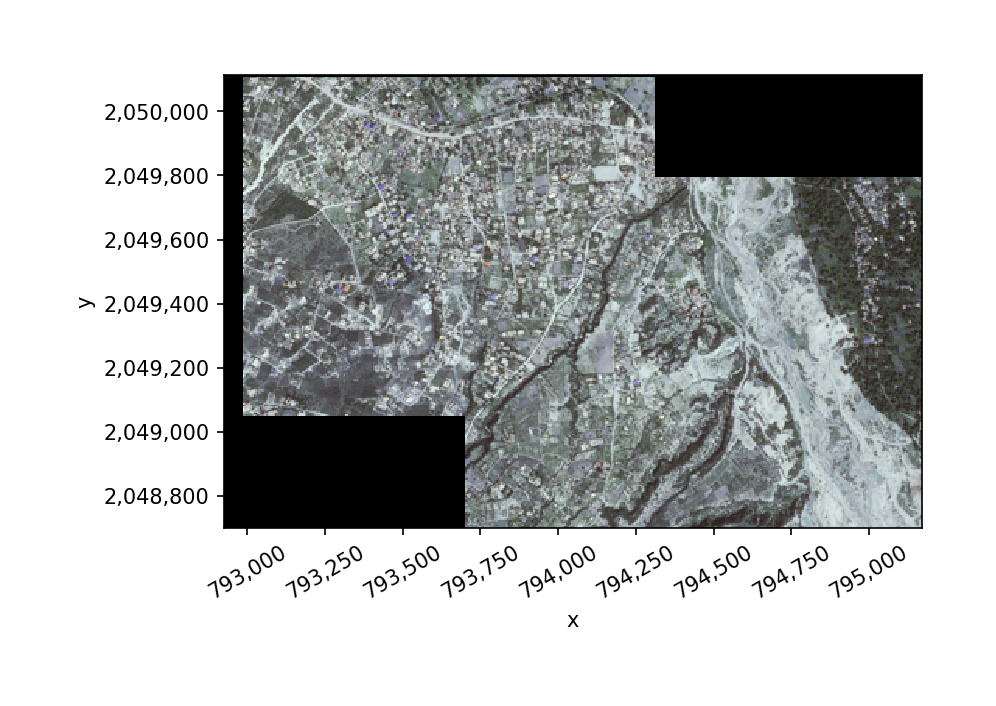
Mosaic the two subsets into a single DataArray. If the images in the mosaic list have the same CRS, no configuration is needed.
[ ]:
with gw.open([rgbn_suba, rgbn_subb],
              band_names=['blue', 'green', 'red', 'nir'],
              mosaic=True,
              bounds_by='union') as ds_mos:
     print(ds_mos)
<xarray.DataArray (band: 4, y: 283, x: 449)>
dask.array<maximum, shape=(4, 283, 449), dtype=uint8, chunksize=(1, 64, 64), chunktype=numpy.ndarray>
Coordinates:
  * band     (band) <U5 'blue' 'green' 'red' 'nir'
  * y        (y) float64 2.05e+06 2.05e+06 2.05e+06 ... 2.049e+06 2.049e+06
  * x        (x) float64 7.929e+05 7.929e+05 7.929e+05 ... 7.952e+05 7.952e+05
Attributes:
    transform:   (5.0, 0.0, 792925.0, 0.0, -5.0, 2050115.0)
    crs:         +init=epsg:32618
    res:         (5.0, 5.0)
    is_tiled:    0
    nodatavals:  (0.0, 0.0, 0.0, 0.0)
    scales:      (1.0, 1.0, 1.0, 1.0)
    offsets:     (0.0, 0.0, 0.0, 0.0)
    resampling:  nearest
Plotting#
Array plotting DataArray.plot.imshow() or DataArray.gw.imshow(). The latter is just a wrapper around the former to tidy up the plot axes. Note that only 1- or 3-band arrays can be plotted
[ ]:
ds_mos.sel(band=['blue', 'green', 'red']).gw.imshow(robust=True)
Calculating NDVI#
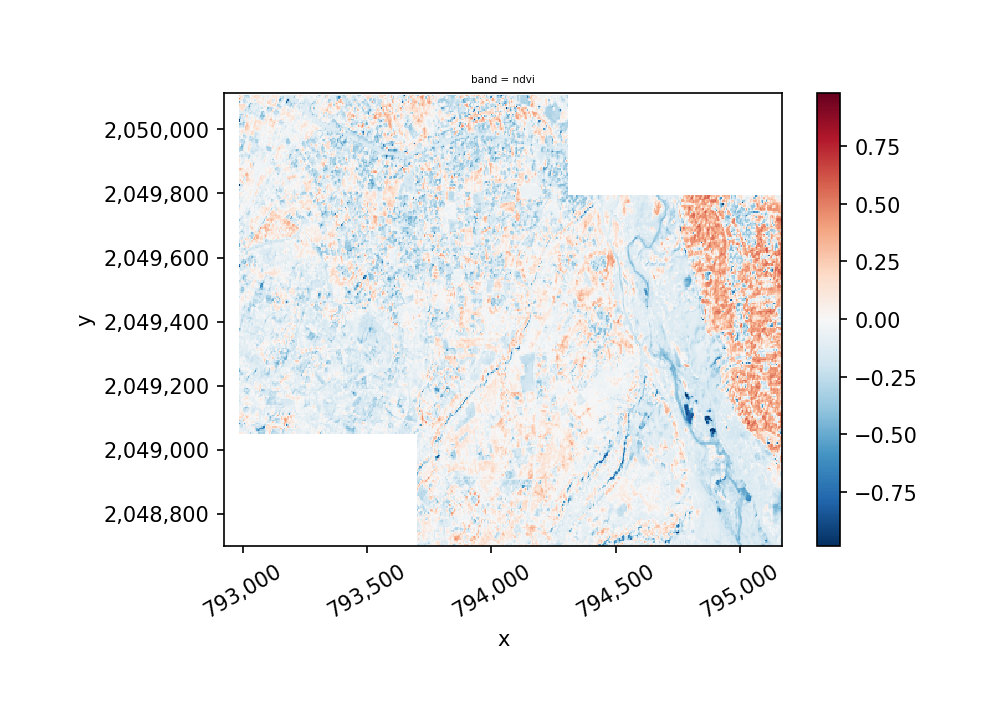
Now let’s calculate NDVI. In order to do this we need to update our sensor configuration to take into account the band types and the scale factor for the data.
[ ]:
with gw.config.update(sensor='bgrn', scale_factor=0.0001):
    with gw.open([rgbn_suba, rgbn_subb],
          mosaic=True,
          bounds_by='union') as ds_mos:

              # calculate NDVI
              ndvi = ds_mos.gw.ndvi()
              print(ndvi)

ndvi.sel(band='ndvi').gw.imshow()
<xarray.DataArray (band: 1, y: 283, x: 449)>
dask.array<broadcast_to, shape=(1, 283, 449), dtype=float64, chunksize=(1, 64, 64), chunktype=numpy.ndarray>
Coordinates:
  * y        (y) float64 2.05e+06 2.05e+06 2.05e+06 ... 2.049e+06 2.049e+06
  * x        (x) float64 7.929e+05 7.929e+05 7.929e+05 ... 7.952e+05 7.952e+05
  * band     (band) <U4 'ndvi'
Attributes:
    transform:    (5.0, 0.0, 792925.0, 0.0, -5.0, 2050115.0)
    crs:          +init=epsg:32618
    res:          (5.0, 5.0)
    is_tiled:     0
    nodatavals:   None
    scales:       1.0
    offsets:      0.0
    sensor:       bgrn
    resampling:   nearest
    pre-scaling:  0.0001
    vi:           ndvi
    drange:       (-1, 1)
Masking With Another Raster#
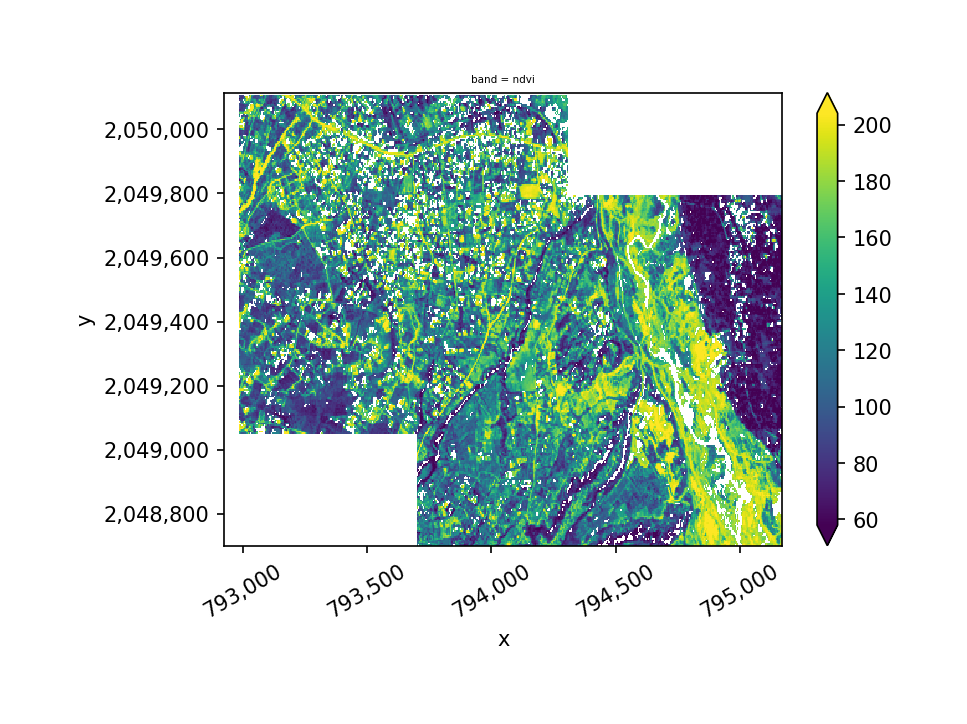
Geowombat also makes masking out values easy. To set a global mask follow this general proceedure.
NOTE: Masking can also be done using shapefiles, see mask.
[ ]:
with gw.config.update(sensor='bgrn', scale_factor=0.0001):
    with gw.open([rgbn_suba, rgbn_subb],
              mosaic=True,
              bounds_by='union') as ds_mos:
     print(ds_mos)
<xarray.DataArray (band: 4, y: 283, x: 449)>
dask.array<maximum, shape=(4, 283, 449), dtype=uint8, chunksize=(1, 64, 64), chunktype=numpy.ndarray>
Coordinates:
  * band     (band) <U5 'blue' 'green' 'red' 'nir'
  * y        (y) float64 2.05e+06 2.05e+06 2.05e+06 ... 2.049e+06 2.049e+06
  * x        (x) float64 7.929e+05 7.929e+05 7.929e+05 ... 7.952e+05 7.952e+05
Attributes:
    transform:   (5.0, 0.0, 792925.0, 0.0, -5.0, 2050115.0)
    crs:         +init=epsg:32618
    res:         (5.0, 5.0)
    is_tiled:    0
    nodatavals:  (0.0, 0.0, 0.0, 0.0)
    scales:      (1.0, 1.0, 1.0, 1.0)
    offsets:     (0.0, 0.0, 0.0, 0.0)
    sensor:      blue, green, red, and NIR
    resampling:  nearest
Masking can simply be accomplished with .where
[ ]:
masked = ds_mos.sel(band='blue').where(ndvi >= -0.25)
masked.sel(band='ndvi').gw.imshow(robust=True)
Storing a mask for later use#
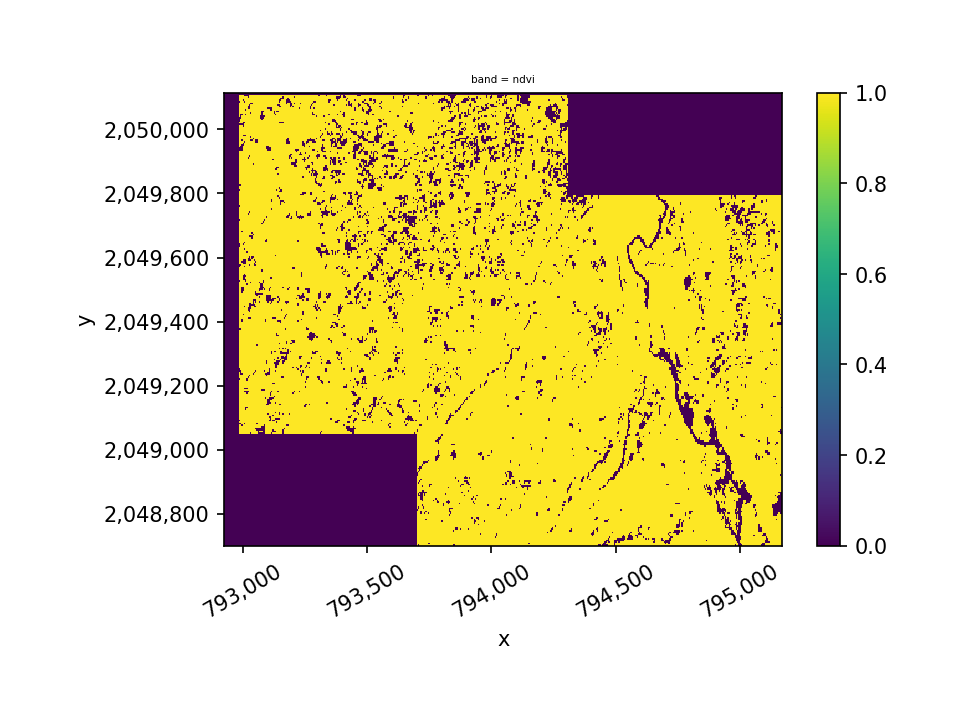
We can also create a masking layer that be be concatenated into the dataset for later use.
[ ]:
masker =  ndvi >= -0.25
masker.sel(band='ndvi').gw.imshow(robust=True)
[ ]:
ndvi_mask = ndvi*masker
ndvi_mask.sel(band='ndvi').gw.imshow(robust=True)
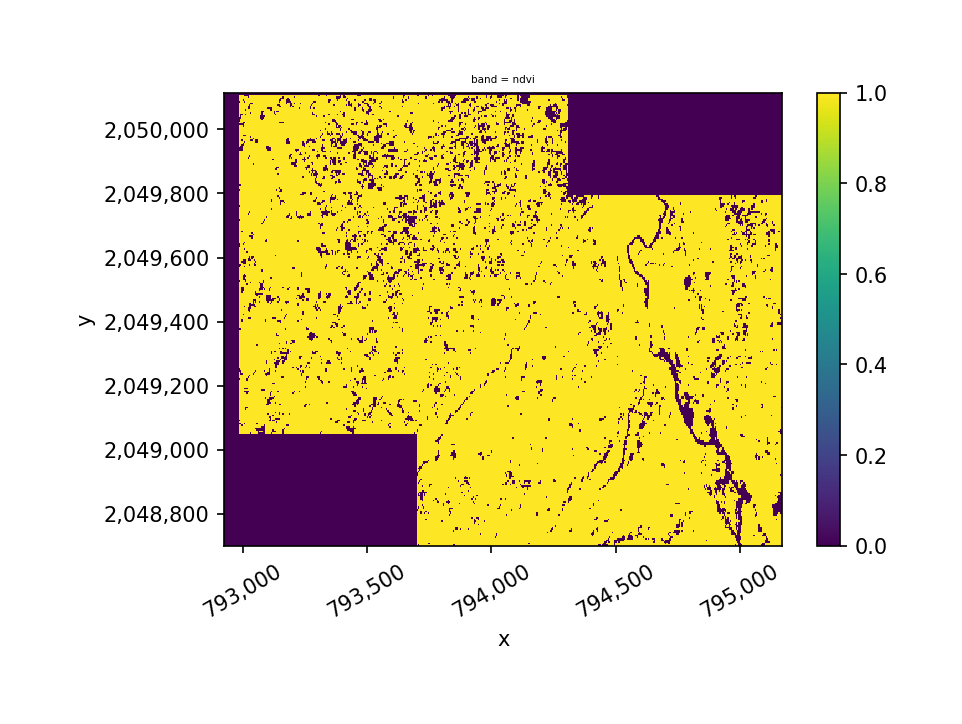
We can keep the mask as a separate array entity, or, if we are using it routinely, there are advantages to adding it as a band in the DataArray:
[ ]:
import xarray as xr
ds_mos_ndvi = xr.concat([ds_mos,masker], dim="band")
ds_mos_ndvi
<xarray.DataArray (band: 5, y: 283, x: 449)>
dask.array<concatenate, shape=(5, 283, 449), dtype=uint8, chunksize=(1, 64, 64), chunktype=numpy.ndarray>
Coordinates:
  * y        (y) float64 2.05e+06 2.05e+06 2.05e+06 ... 2.049e+06 2.049e+06
  * x        (x) float64 7.929e+05 7.929e+05 7.929e+05 ... 7.952e+05 7.952e+05
  * band     (band) object 'blue' 'green' 'red' 'nir' 'ndvi'
Attributes:
    transform:   (5.0, 0.0, 792925.0, 0.0, -5.0, 2050115.0)
    crs:         +init=epsg:32618
    res:         (5.0, 5.0)
    is_tiled:    0
    nodatavals:  (0.0, 0.0, 0.0, 0.0)
    scales:      (1.0, 1.0, 1.0, 1.0)
    offsets:     (0.0, 0.0, 0.0, 0.0)
    sensor:      blue, green, red, and NIR
    resampling:  nearest
[ ]:
ds_mos_ndvi.sel(band='blue').where(ds_mos_ndvi.sel(band='ndvi') == 1).gw.imshow(robust=True)
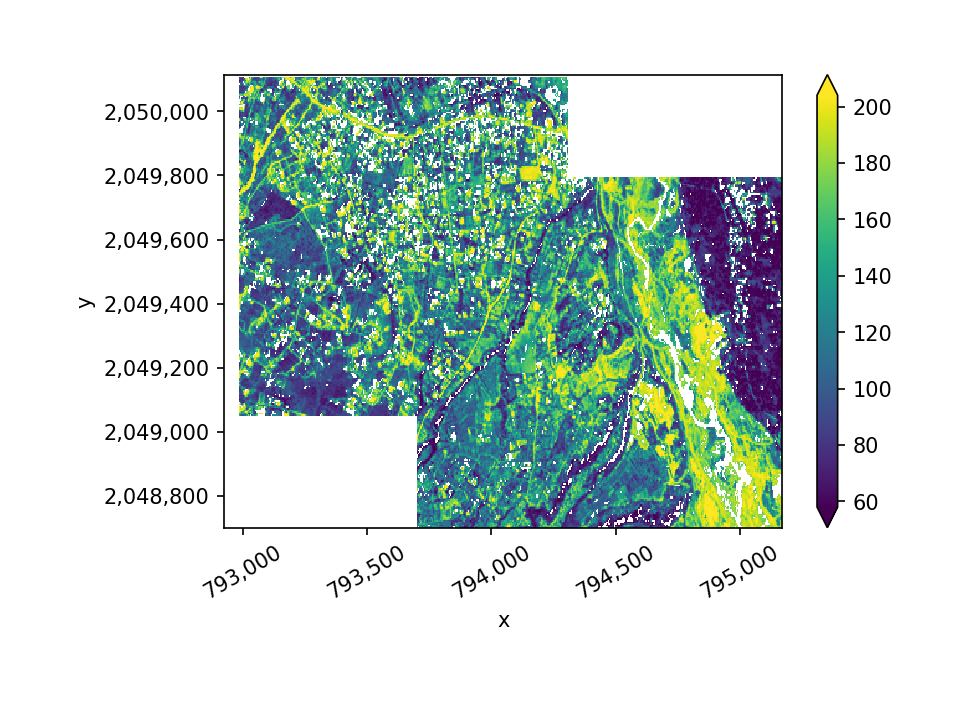
We can also apply a mask across multiple bands as follows:
[ ]:
ds_mos_ndvi.sel(band=['blue', 'green', 'red']).where(ds_mos_ndvi.sel(band='ndvi') == 1).gw.imshow(robust=True)
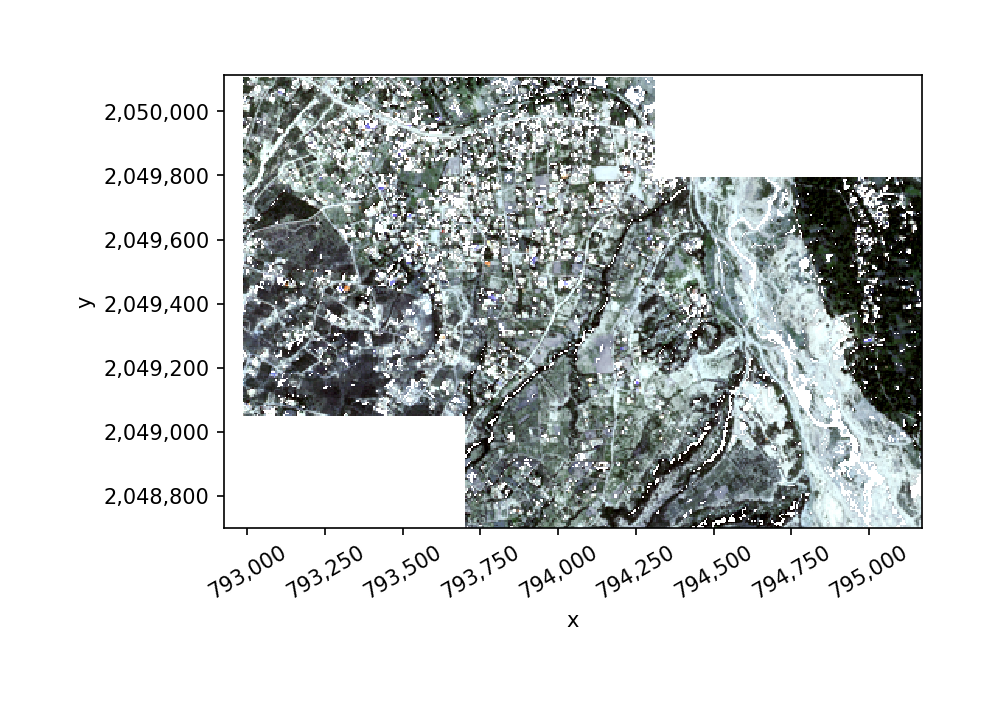
[ ]: